To Ifficial Blog Of Messian Dread

Showing posts with label For Producers. Show all posts

Thursday, September 18, 2014

Five Ways To Start A Dub And A Final Version (Making Dub With Computers Chapter 31)

MAKING DUB WITH COMPUTERS CHAPTER 31: FIVE WAYS TO START A DUB AND A FINAL VERSION
STUDIO DUBROOM TUTORIAL

Read Chapter 31 in Context

WWW, September 18 2014 - You're a selector on a tight budget, whether financially or timely. In any case, you have to browse quickly through the available catalogue of Dub tracks. Or perhaps you're a Dub collector and you're looking for that next addition. Whatever the case, I'm sure you'll agree that when you're looking for or listening to new music, the first let's say 20 seconds are pretty decisive.

That's what we're going to address in this final chapter of the Version Excursion into the basics of Dub mixing.

I've prepared five different ways to start a Dub, using the riddim we've made for this tutorial. All four effect devices are used, just like in the previous chapters. Here they are, with a small explanation:

Variation A:

1. Drum Roll
2. Skanks
3. Bass drops in
4. Drums drop in

When you start with a Drum roll, then cut the Drums to let only the Skanks play, cut the Skanks with echo and start the Bass during the Echo with the Drums entering later, you create a tension. You tend to get impatient to hear the drum and bass. 

This is just one way of doing it. However, it is a rather classic method that you most certainly will hear back in many classic Dub tracks.

Variation B:

1. Drum Roll
2. Bass Drops In
3. Horns Drop In and Out
4. Pucking/Clavinet Drop in and out
5. Skanks Drop In and Out

Starting with a Drum Roll, then cutting the Drums while only the Bass plays and the rest of the instruments are quickly (un)muted at strategic points. 

It creates yet another vibe of tension, as you want to hear the Drum and the Bass.

Variation C:

1. Pucking/Clavinet only Wet through Pre-Aux 4
2. Bass Drum Drops In and Out
3. Bass Drops In
4. Drums Drop In

Running the pucking Guitar and the Clavinet through the Aux 4 Pre out to the Reverb, with the bass drum hitting once or twice before the bass line drops in, is a more spaced-out vibe.

It's not so much to create a tension, it's more a spaced out thing. 

You know...

Variation D:

1. Drum Roll
2. Bass, Skanks, Horns Drop in With Space Echo
3. Skanks are muted directly
4. Horns (un)muted Strategically

Because of the many 16th notes played in the Horn Them, just (un)muting the channel at (no so) random will give an instant Dub vibe that will catch those that love their "Dubbing With Horns".

Know when to (un)mute and you can create special echo's. For more information see the Tutorial at studio.dubroom.org

Variation E:

All channels open Aux 3 (Space Echo)

1. Drum Roll
2. Drum and Bass
3. Skanks (un)muted
4. Horns (un)muted
5. Pucking Guitar and Clavine (un)muted)

The Space Echo is so spacey, that in itself feeding the device by merely (un)muting channels does give a Dub vibe. When you have trained yourself in knowing where to find the strategic places to (un)mute, you're pretty close to creating a reasonable Dub in one take.

Here are the Five Ways To Start A Dub Mix:

CLICK HERE TO READ FURTHER


Tuesday, September 16, 2014

Using EQ With Space Echo And Reverb (Making Dub With Computers Chapter 30)

MAKING DUB WITH COMPUTERS CHAPTER 30: USING EQ WITH SPACE ECHO AND REVERB
STUDIO DUBROOM TUTORIAL

Read Chapter 30 in Context

WWW, September 16 2014 - It's often said how in Dub, the mixing board turns into an instrument at the hand of the engineer. Like a keyboard player touches the keys, the guitar player the strings. True, true, true. Pressing the mute buttons, using the sliders, and not just on the mixing board. The effect devices are not safe from the hands of the Dub engineer. 

During my live performances when I dub a band live, it happens that I have to use the PA of the hall. As I count the drops of sweat on the head of the engineer as I'm telling him how I am going to use his mixing board, I hear him think: "there goes my setting". When I continue to tell him how I want the delay and other effects routed back to the mixing board via a channel input, I see him watch the aux-out buttons while in his head he hears the feedback. Yes, the mixing board becomes an instrument.

Where an engineer usually fine-tunes his mix and explodes whenever someone wants to change anything, a Dub engineer continually changes these settings. No, just by (un)muting channels and not just by knowing where to drop what kind of echo and how to transform the echo feed with EQ like we did in the previous chapters. Here's another general guideline: whatever you can change with EQ, change it!

In this next video, it's not just the simple Dub delay with it's EQ and the reverb. Remember, we've added a Space Echo at Aux 3. That's what we're going to use now and we are going to use the EQ settings of the reverb as well. Before you press play, though, just a little bit more info about the "Space Echo".

There are many soft- and hardware devices similar to the Space Echo. Even free VST effects that are perfect to use, but that's for another place. In a way, you can look at the Space echo as a combination of Delay, Reverb and EQ. Where I use a separate EQ with my Dub delay and layer it with reverb from the mixing board, the Space echo does all that in one device. 

Watch as the "decay" (length) buttons and the EQ on the blue devices change. The blue device at top is the Reverb at aux 2, the blue device below the mixing board is the Space Echo. Read the extra information as you watch just how EQ and other things are used:

CLICK HERE TO READ FURTHER


Monday, September 15, 2014

Digital Dignity: Half a Gigabyte of High Quality Free Licensed (DUB) Reggae Samples In a New Studio Dubroom Feature

DIGITAL DIGNITY: HALF A GIGABYTE OF FREE LICENSED HI-Q (DUB) REGGAE SAMPLES AND LOOPS IN A NEW STUDIO FEATURE
STUDIO DUBROOM NEWS

Visit the Portal

WWW, September 2014 - Attention (DUB) Reggae producers and other visitors/users of Studio Dubroom: a brand new feature in the studio will provide you with over 560 Mb of free, legal, fully licensed high quality (DUB) Reggae Samples and Loops. We're talking drums, bass, guitars, horns, vocals, Dub effects and everything else you can think of in the field of the production of (DUB) Reggae Music.

It's called "Digital Dignity" and for a reason. There are too many online (DUB) Reggae artists that make use of jingles, loops and samples from well known or lesser known albums. For non-commercial productions that's quite a common practice but it will not lead you as a producer to the ability to release your music commercially. It's a common practice, but it doesn't really do anything else but make people think of the original.

Yes, it is better to get some dignity in your productions by getting some dignity for yourself: over half a gig of that material is waiting for you in our brand new Loopmasters (DUB) Reggae portal.

So what did we do and what can you do?

First, we've gathered all thirty (DUB) Reggae products that come with a demo file from the Sample Boutique and -second- created a page for each release. From that page you can directly download the Demo file attached to the product. You'll have to be registered and logged in to the Loop Masters website, but since that is a free thing and can even provide you with more goodies, registration at Loop Masters will not hurt you at all.

We are talking about samples and loops by Ariwa studio, Jesse "Dubmatix" King, the heavyweight champions at Drum Drops, and a lot more. A large part has authentic vocal loops and samples, but you can find some nice horns and other material.

Read the introduction page and start downloading. When you have a reasonable fast Internet connection, about 15 minutes of your time will deliver you a very valuable addition to your Sound library.

This is not a collaboration between Loop Masters and the Dubroom, this is the sole decision of the Dubroom and it is done out of a genuine appreciation with the good quality, service and prices at the Sample Boutique. 

CLICK HERE VISIT THE PORTAL


Sunday, September 14, 2014

Dub Echoes and Reverb (Making Dub With Computers Chapter 29)

MAKING DUB WITH COMPUTERS CHAPTER 29: DUB ECHOES AND REVERB
STUDIO DUBROOM TUTORIAL

Read Chapter 29 in Context

WWW, September 14 2014 - Basically, the main thing a Dub engineer does is (un)muting channels and emphasizing these (un)mutings with effects, the two obligatory ones being reverb and delay, or echo. That's something we're going to look at as we continue our version excursion. Just how and where reverb is placed, and different things you can do with delay.

Very common in Dub mixing is adding reverb to snare drum hits, like every 2nd or 4th. When the skanks play, hit one chord with a Reverb attack. Or unmute the skanks and hit the very first chord with a reverb attack. Or the last one, just before you mute. Use a pre-aux and put the volume slider of the drums close to zero while feeding the reverb device with the drums.

Echoes, or delay, can and should not be just a repeat of itself like in the previous chapter. You can change the sound of the echoes by adding reverb on them but also by applying (slight) EQ changes in the echo feed. Or both. You can let the echo run along with the drums while changing the EQ feed, or just make a long echo of let's say a horn hit and change that feed.

Again (un)muting is essential. Let the skanks play along with the drum and bass and mute them at an unexpected time. Or unmute the skanks every 4th or 8th hit. Mute the horns before the theme is over, or unmute the horn while the theme is already playing. Surprise. Shock. Do the unexpected. 

he following video contains all the elements described in the previous paragraph. You will see the Reverb device, the Echo and it's EQ plus the master mixing board. In fact, that's everything that's used in this mix. On top of the screen you'll see a few remarks about the mix. Press replay, pause, whatever. 


CLICK HERE TO READ FURTHER


Saturday, September 13, 2014

(Un)Muting Channels and Using Echo (Making Dub With Computers Chapter 28)

MAKING DUB WITH COMPUTERS CHAPTER 28: (UN)MUTING CHANNELS AND USING ECHO
STUDIO DUBROOM TUTORIAL

Read Chapter 28 in Context

WWW, September 13 2014 - Create multitrack recording of instrumental Reggae track: check. Add effects and make a set up: check. Finalize it with a sound check: check! In principle we're ready to make our first Dub. At least, we're ready for an introduction into what this is all about: making Dub with computers. 

Dub is both a technique and a form of art. You can learn the techniques but without the art-istic approach it won't be much. On the other hand, creativity can so much be enhanced with just a little bit of technical knowledge. So, before we'll start to look in some actual techniques we really need to consider our actual artistic feelings and desires when it comes to Dub.

There are many, many different ways to start a Dub. We'll take a look at some of them later on in this tutorial. There's the thing, are you making a Dub of a track that is also to be released as a vocal, are you making a Dub for a single release or as part of a Dub album? All need a different approach. What is it you're trying to communicate with your mix? What are you trying to say with that one particular effect you're using? These questions should be answered in your final Dub.

Where there are so many different forms, styles and techniques in Dub, one thing that all good Dub has in common is the fact that the Dubs are remixes of full musical tracks, with or without vocals. Dub is the Art of taking away, and when there is nothing to take away, things become a bit weird. Dub is the art of transforming a musical track by the use of effects and changing of settings on mixing board and devices. You'll need a musical track to transform, even when you're never intending to release the original track you made the Dub from.

Before I make a Dub, I open the instrumental track in my DAW and save it under a different name. I usually give my riddims a number, like 201401master.rns which I then save as 201401mix01.rns just to help myself keeping track of what I do.

The actual Dub is made in exactly the same way as it would be done in a real studio, with a couple of extra features that were unable in the times when Dub came into existence. It means, that while the track is running you'll change sliders, knobs and everything else you can possibly change and record these changes. This is called automation and every serious DAW should have this possibility. Some programs require you to arm tracks for automation, others will automatically record movements on the mixing boards and devices. 

The last thing I do before I start recording my mix is to make an initial setting. Usually this means I mute every channel except for the drum, bass and effects (channels 11-14). When I don't do a thing, the drum and bass will just play. Only when I unmute another channel and/or mute channels 1/2 (drums/bass), you'll hear something else. 

I do this because one very important general rule is that the drum and the bass should be dominant, there should be many parts where it's just the drum and the bass (plus perhaps an echo), and there should be let's say at least three little parts in your mix where drum, bass, or both will drop out. You could call them "breaks", in a way. That was a tip I got very early on, a tip I gladly pass on.

Now, let's take a little version excursion: a first mix wherein some of the mentioned principles are being put into action. Let's just play a little bit with the track by muting and unmuting channels while channels 3-5 have a little Dub delay (aux 1). 

Take a look at the following video and also watch some basic use of the slider in channel 11, that basically functions as the echo volume:

CLICK HERE TO READ FURTHER


Friday, September 12, 2014

Finalizing the Set Up with A Soundcheck (Making Dub With Computers Chapter 27)

MAKING DUB WITH COMPUTERS CHAPTER 27: FINALIZING THE SET UP WITH A SOUNDCHECK
STUDIO DUBROOM TUTORIAL

Read Chapter 27 in Context

WWW, September 12 2014 - We have our instruments set up in proper sub mixes, we've added the effects for dubbing and for enhancement of the instrument's sounds, now it's time to actually enhance these sound and make a reasonable mix. We're going to do that in this chapter in word, sight and sound. Actually, this is pretty much the same as a live soundcheck just before a live performance by a band. 

Truth be told: I did a little bit of preparation by using some specific settings on both reverbs. In short, I use a longer, heavier reverb for the Dub mixing (the one at aux 2), and a short one for the instrument enhancement (aux 4). I've also set the Space Echo as a Space echo (aux 3) but we're not going to use that in the soundcheck itself. 

We'll start that soundcheck with the drums. It gets some extra EQ-ing, and a little bit of reverb. The bass is next, gets some extra EQ-ing as well. Then the skanks and the horns. Both submixes have their own phaser, and they are put in action. The balance between the instruments is made in the submix, and then the skanks and the horns are balance with the bass and drums. The last part is for the accompanying elements: the guitar and the clavinet. While you could also add a phaser to that submix, for this tutorial we'll leave it at that. 

I've made three temporal midi tracks for the horns, to make them play the theme all over again. After all, we have to make a setting. After the soundcheck, I reinstated to original horns track. 

This is the sound check, live and direct.


CLICK HERE TO READ FURTHER


Thursday, September 11, 2014

Finalizing the FX Set Up (Making Dub With Computers Chapter 26)

MAKING DUB WITH COMPUTERS CHAPTER 26: FINALIZING THE FX SET UP
STUDIO DUBROOM TUTORIAL

Read Chapter 26 in Context

WWW, September 11 2014 - The previous chapter gave us a little feeling about the Dub we're going to make later. We've set up a simple but effective Dub delay and this chapter we will add more effects. Before we will, though, let me separate between two kinds of effects and briefly explain their function in a studio where the purpose is to make DUB.

Let me exaggerate a little bit, just to make a point. Let's say that until DUB was first created (or perhaps even discovered by accident), effects like delay and reverb had the function to enhance the sound of instruments and singers. Still, in much form of musical recordings this is the way effects are used. With the introduction of DUB, the effects became instruments just as much as the engineer became a musician if you will.

I know, there's all kinds of "buts" and thing when it comes to the actual historical unicity of DUB when it comes to the transformation of effects from enhancements to instruments if you will, but for this tutorial it's more than perfect and the reason for that is, that you actually want effects that enhance the instruments while you want to keep playing with other effects. 

In our case, we will use a reverb which we'll apply just a little bit on every channel where we'll use the reverb we already created as a Dub reverb. We will also add just one more effect, preferably some sort of simulation of the Roland Space Echo. An echo device that in itself lets you do all kinds of weird things. When you do not use Reason 3.04 or up, you could use some kind of VST effect or something like that. It doesn't really matter, after all it is your inspiration and choice of effects that will make your sound. This is merely a guideline. 

We'll put the Space Echo on Aux 3 and the Reverb we'll use you enhance the sound of the instruments at aux 4. Make sure (if possible), you select aux 4 to Pre rather than Post. When you do so, opening aux 4 will give signal to the Reverb device even when the channel's volume slider is put all the way down. When you select "post", the volume of the aux out will correspond with the volume on the channel volume slider.

We'll also add two phasers. Or three, if you like. Since we made sub mixes, it should be possible to send an aux out from that sub mix to an effect device and route it back to the submix. We'll add a phaser to the horns and the skanks submixes. This will give us a phased skanks and horns rather than dry ones. It's just a little bit nice. Of course, you could add another effect like a filter or flanger, chorus, what have you. 

Take a look at the following video, where you can see everything in action. It sounds more complicated than it actually is, once you discover the logicalities behind everything. Remember, what we're doing is making it as easy as possible for ourselves so that when we're Dubbing we don't have to worry about anything else.

CLICK HERE TO READ AND WATCH AND LISTEN FURTHER


Wednesday, September 10, 2014

A Simple, But Effective Dub Delay And Reverb (Making Dub With Computers Tutorial Chapter 25)

MAKING DUB WITH COMPUTERS CHAPTER 25: A SIMPLE BUT EFFECTIVE DUB DELAY AND REVERB
STUDIO DUBROOM DOWNLOAD

Read Chapter 25 in Context

WWW, September 10 2014 - With five input channels at our master mixing board ready to be processed, it's time to add the effects. Before we'll dive a little deeper in fine tuning and stuff, though, we'll add a delay and a reverb which we'll use later in the Dub mixing. You will see why the returns on the mixing board are of little to no use: after all, they're just inputs without any other possibilities attached to them. 

It's best to set up the effects according to the following principle: Aux 1 goes to an effect, the output of the effect lands in channel 11 at the mixing board. Aux 2 to channel 12, aux 3 to channel 13 and aux 4 to channel 14. Take a good look at the following video, where you will see (and hear) all of this explained in about four minutes:

By not using any feedback in the delay itself but rather looping it back to a channel, you give yourself full control over the echo's. Unless you really want to have that specific effect, a Dub echo is not just a repeat of itself. The flow of an echo changes, for example by applying certain EQ on the echo's channel input or -as was done in the video- by adding reverb over the echo. And that's what you want: you want to add layers of effects on top of each other. 

Bypass the whole return options. Rather treat the effect devices as instruments by giving them their own input channel. By doing so, you have established a potential of countless different effects. You can add EQ over a Reverb, Reverb over a delay, or make even a four layer effect in an instant during your Dub mixing session. Makes it spontaneous instead of pre-programmed.

CLICK HERE TO READ, WATCH AND LISTEN FURTHER TO CHAPTER 25


Tuesday, September 9, 2014

Making Dub With Compters Chapter 24: Sub Mixes

MAKING DUB WITH COMPUTERS CHAPTER 24: SUB MIXES
STUDIO DUBROOM DOWNLOAD

Read Chapter 24

WWW, September 8 2014- Continuing our preparation for the first Dub session. This chapter deals with sub mixes and why they are a good option.

On top of that, you'll find a number of downloads that will help you further. 

CLICK HERE TO READ, WATCH AND LISTEN FURTHER TO CHAPTER 24


Monday, September 8, 2014

Making Dub With Computers Chapters 22 and 23: Concluding MIDI, Talking Software Requirements

MAKING DUB WITH COMPUTERS CHAPTERS 22 AND 23: CONCLUDING MIDI, TALKING SOFTWARE REQUIREMENTS
STUDIO DUBROOM DOWNLOAD

Read Chapter 22 and 23

WWW, September 8 2014 - A Couple of days ago, I published chapter 21 of my Computer Dub Tutorial and today I offer you two new chapters, one of which you can read in it's fullness on this page. We're concluding the MIDI part, the phase wherein we make an instrumental Reggae track because if you don't have that, well, you can't make (a) Dub. We're taking a look at what kind of software you need, and a little bit at hardware too.

Since you are reading this, you're probably visiting one of the Dubroom's blogs or the forum. That could mean you are waiting for chapters to be added. I'm sure you don't mind me writing a few personal notes before I paste chapter 22 and a part of 23 into this post. The fact I receive a lot of positive feedback from producers all over the world lately makes me humble once more, as I realize how much more I should add, and -Jah Willing- shall add chapters. I do take this serious, even though I am aware that the things I know in themselves are in it's turn a fraction of what people like Mad Professor know.

One good thing about this tutorial, is the fact that it is located on the Dubroom website. I only post fragments of chapters because the tutorial really needs to be studied from the pages. As I'm working on new chapters, I equally look at the older ones and I plan to add a lot of extra information as time progresses. I also now have the possibility to record video and audio from my computer screen and sound card, which I am sure will be most helpful when we will finally arrive there, where it's all about: the DUB.

All that said, here's the latest additions to the tutorial:

PART 22: MIDI (12) - THAT'S WHY MIDI

In the previous chapter we added the last instruments to our instrumental Reggae track. A track, we created with the use of the MIDI protocol. En passant we've been taking a close look just how a Reggae rhythm is constructed, how you can find a good bass line with your chords or vice versa, and a whole heap more. We're into the 22nd chapter, and actually all we have been doing is laying a ground work for future Dub projects. All we have been doing is creating an instrumental Reggae track with total disregard of any sound balance, and so the track sounds awful. That's what we're going to be working on in the next few chapters.

When I started to write this tutorial I was dealing with like the first generation Audio cards that needed quite a specific set-up. I remember that I had to physically open my computer and change things so that two sound cards could work on one computer, even. In the same time, the way I made my Dub was totally different in these times. It would take me over 5 minutes to create just one echo. 

When I discovered Propellerhead Reason, my working method completely changed. What did not change was the fact that I made my instrumental Reggae tracks with midi (and a few audio loops). In spite of all the developments, what has not changed in making Dub with (or without) a computer is the fact that you'll need something to Dub and usually that would be an instrumental Reggae track, or a multi track recording of a Reggae track with, let's say, vocals on them. 

So, in a way, it's very good that it took such a long time before we're actually in this part of the tutorial. I don't have to introduce you to a working method that requires more than patience, self control and what have you.

We will still be using the MIDI protocol throughout the entire tutorial. It can't be different, because what we have been doing by creating the music is the very same thing what we will be doing when we're actually in the Dub phase. After all, because of Midi we can give instructions to not just a keyboard, but a mixing board, effect devices and all the things we'll be using. Because of MIDI we can make Dub with computers in the first place.

However, it is time to make some closing remarks about this segment of the tutorial. We have been creating an instrumental Reggae track, even though it's not the next Reggae world hit. You now know why MIDI is a very important part in the creation of music, any music. You know now how to make your own instrumental Reggae track.

We now have to use this track and turn it into a Dub track, something we'll be doing in the next chapters.

PART 23: CREATING A SET UP (1): SOFTWARE REQUIREMENTS

Now that we have our instrumental, you could say that we have a multi-track recording. We have several different instruments all playing their musical part over their own channel on the mixing board. By putting one instrument louder than the other, you create a mix. By adding effects like delay and reverb to the mixing board, you're ready to make a Dub. 

In short, that is.

To create the instrumental track we've programmed in the last chapter, I have been using Reason 3.04. Now, in September 2014, this is a rather dated version of the superb software by Propellerhead. Add to that, there is software called Ableton which I have started to look at in this year as well but about which I know close to nothing. Add to that the countless other titles in music software, and the -often totally irrelevant- question which software to use, and you have a problem when you're writing how to create Dub with computers.

The software.

Let me describe just what I'll be using Reason 3.04 for in the next chapters, in more general terms. This will not just enable you to go along in this tutorial as you make a set up in your favorite software title, it will enable you to obtain the right software in case you are wondering just what to use. Since the version of Reason I use is not the latest, I suspect that there are a lot of titles that will give you the features required for this tutorial. Probably even free titles. When you know of a few, let me know and I'll add them to this tutorial somewhere.

In short, what you need is a title that enables you to simulate everything you would do when you would have a physical studio with hardware. You want to have a mixing board with instruments and effects devices attached, at least four aux-outputs, and you want to be able to change any setting on any device at anytime. This is called "automation".

Here's a check-list:

CLICK HERE TO READ, WATCH AND LISTEN FURTHER TO CHAPTER 23


Friday, September 5, 2014

Making Dub With Computers Chapter 21: Reggae Percussion, Clavinet and the Pucking Guitar

MAKING DUB WITH COMPUTERS CHAPTER 21: PERCUSSION, CLAVINET AND PUCKING GUITAR
STUDIO DUBROOM DOWNLOAD

Read

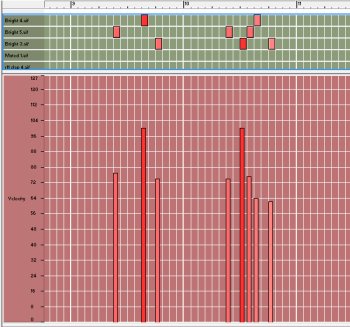
WWW, September 2014 - Slowly but steadily, we're progressing with the unfinished tutorial on making Dub with computers. In chapter 21, we'll take an in-depth look at Reggae percussion, and the clavinet and the pucking guitar. This is the final chapter about midi instruments, by the way.

Chapter 21 is huge. Huge, in the sense of long and in-depth. It has several download links, a You tube video, screenshots and audio examples as we dive in especially Reggae percussion. It's a chapter where the function of the hand drum and other percussion instruments are explained while principals are revealed as well. We're also adding a final touch to the music by taking a look at the clavinet and the pucking guitar. This is a chapter for the serious scholar, not for ones seeking to click their own supermix in a quarter of an hour. 

CLICK HERE TO READ, WATCH AND LISTEN TO CHAPTER 21


Dubroom Reggae Percussion 2014 (Studio Dubroom Download)

DUBROOM REGGAE PERCUSSION 2014 PART ONE
STUDIO DUBROOM DOWNLOAD

Read More and Download

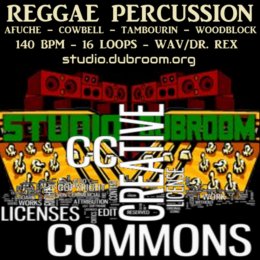
WWW, July 2014 - Presented in both WAV and Dr. Rex Format, this Dubroom Reggae Percussion Pack comes with 16 loops from an afuche, cowbell, tambourine and a woodblock. The tempo is 140 BPM (straight) and you should be able to insert them right at the start of your drum loop.

Reggae percussion is hard to find. Especially when you're looking for free and legal variants. This pack is a humble contribution from the Dubroom to the online massive. You should be able to spice up your Reggae track just a little bit with these dry loops. They are released under Creative Commons which means, go ahead do what you want with them and please give the Dubroom a little credit. That's all.

CLICK HERE FOR THE DOWNLOAD PAGE


Tuesday, September 2, 2014

SITES FOR YOUR MUSICAL PRODUCTIONS PART TWO

SITES FOR YOUR MUSICAL PRODUCTIONS PART TWO
MESSIAN DREAD REPORTS FOR STUDIO DUBROOM

Read

WWW, September 2014 - In Part two, Messian Dread continues to report on his experiences with uploading his music to a number of Online Music Distributors (OMD's). This time he revisited MYSPACE.com, LAST.fm, ICOMPOSITIONS.com and talks about creating an artist page at AMAZON.com. And, oh yes, a small website called "You Tube".

The memory hole. It's an absolute hole and it can give you quite a bit of surprises. This is what I got when I tried to upload my music to the revamped My Space website. I know, I know, it's obsolete and for many years I just did not pay any attention to my account. In the mean time, I had forgotten to pay my bill for dubroom.com (about 40 dollars or so) which I used for my email and the folks at NXS Amsterdam decided to sell it to another company which is now trying to sell it for about 2400 dollars last time I checked. Good to know Dubroom.org survived NXS. They shouldn't be in business anyway.

MYSPACE.com

It looks good, especially when you consider that My Space has been bought by the good folks at Fox, known for their love for humanity and truth in general. I thought it would be nice to just revamp my account at that revamped My Space website but to my chagrin I discovered I could not log in due to the fact that I no longer had access to my old email account. 

Problems.

Apparently, I am not the only one with this problem because My Space has this standard link that you can click when you lost access to your old myspace account. I filled in the form, and wrote the proof that I am who I am. That's pretty easy when you are Messian Dread at the Dubroom. Still it was really complicated for the person at My Space who was assigned to my case. He, she, it, did not understand what I meant so I wrote back that I would love a human reply. I got it and I got access. It took several days.

When you have a fast computer running Windows 8 or something like that, my Space is nice but it's not that nice. The reasons are obvious. "Everyone" knows, My Space is a ghost town. There simply is nobody. I have zero plays. Zero.

https://myspace.com/messiandread/music/songs

LAST.fm

I had a page at LAST.fm but because of the nature of my recent productions I wanted to change things a bit more. After all, my new productions are definitely not just about me and I want to title my productions the way I title them. That's not possible at LAST.fm without creating a new artist, or in this case, label. 

So I did. 

I started to upload my new production and I got a notice. I had uploaded my Dennis Alcapone tracks and the system had recognized that name as being known. My account was blocked until it was reviewed by LAST.fm staff. Perhaps you think I was annoyed, but that was not the case. I thought this was a very, very good thing because it doesn't just give credit to the LAST.fm website but also to the artists and producers who upload their tunes. 

Of course everything was easily cleared. This was a very pleasant experience.

The website itself gives you the possibility to upload your music and make it available for free download. Nice thing, right? Even nicer is the fact that they let you deeplink to your uploaded MP3 files, just like I do on the music download page at my website. There's no limitation like with Sound Cloud, so there is another reason why it is a mystery to me why Sound Cloud is that popular.

http://www.last.fm/label/Dubroom+Productions

ICOMPOSITIONS.com

When you're looking for plays and feedback, you should definitely try out ICOMPOSITIONS.com. This website is clearly aimed at musicians and can serve as intermediary vehicle for collaborations. You need to really look, as it is assumed people know their way with computers a little bit more than, let's say, My Space. And they do. I have zero plays at My Space, now look at what I got at I Compositions (click to enlarge):

CLICK HERE TO READ FURTHER

Monday, August 4, 2014

Studio Dubroom Website Review: Loop Masters

LOOP MASTERS
DUBROOM WEBSITE REVIEW

Read Review/Visit Site

WWW, August 2014 - When you're involved or interested in music production, it's almost impossible to not notice how many websites carry advertisements of LOOPMASTERS.com. When you've recently visited Studio Dubroom or enjoyed the music we've released since April this year, it's even totally impossible to not know about this website. Messian Dread reviews the "Sample Boutique" from his perspective as an online (DUB) Reggae producer.

It was somewhere in the beginning of 2014, that I was browsing the Web in search for some material to use in my music. I had been kind of silent for quite some years, and one of the reasons for that was that I was kind of finished with the sounds that I had produced for some years. Finished with my virtual brass section, finished with my own vocals, and very much impressed by more recent online works from Net Labels mainly in the digital spectrum.

I have this thing with in-your-face digital Dub and other Roots Reggae. I love it, I can make hours and hours of DJ mixes carrying the sounds. I can't, however, produce it myself. It's simply not there, in my soul. At least, not at this moment. After several failed attempts which I don't even want to discuss, I felt myself kind of stuck between the stuff I produced earlier and, well, something I wasn't really sure of.

In this state of mind, I was kind of looking on the Internet for some stuff to work on, or with. Typing all kinds of key-words into the search engine, getting all kinds of websites with shady contents that might be nice for some private productions but for the rest has, let's say, legally questionable material. Sure, it would be nice to download an Acapella by let's say Luciano and be able to create a musical work with it that you can release, right? Well, forget such niceness when you use shady websites like the ones I just described.

Someone once said, in a different context: "Do as they say, not as they do". I took that principal at hand, and went on to look for a legal variety. Is it possible, to get some good quality legal vocal material, preferably of the authentic kind? This is where I discovered just why almost every website with advertisements has this banner linking to LOOPMASTERS.com.

Usually and like "everyone", I ignore banners and ads when I visit a website. The times that I've actually clicked on an ad because I was interested in the site can be counted using the fingers of one hand, and I'm online since the early 1990's. Being the "rebel" that I am, the more I see an ad the less I'm likely to click on it. The reason why I did visit the Loop Masters' website therefore had nothing to do with the publicity. The reason was simply I was looking for legal material, especially vocals, and my search engine gave me the link. The only link.

Now, a few months later, I can only conclude that Loop Masters is the one-stop for most of the most authentic and legal online source material for the production of (DUB) Reggae Music. This is not my suggestion for a slogan to use in yet another banner, it is my personal conclusion at this moment. A conclusion which I would like to share, without apology but with reasoning.

The first thing that I noticed, was a familiar name: Dubmatix. This Canadian producer is without the shadow of a doubt living up to his last name "King" when it comes to Dub and the North American continent. He knows his music, he knows his vocalists and he knows his studio. I looked further and discovered they had a sample pack with material from none other than Mad Professor. My fingers started to itch as I was clicking my mouse. However, I wasn't jumping to the "Sample Boutique" as they very pleasantly describe themselves to get Drum loops and such things. 

This is when I discovered what would become source material for literally all my productions this year, both released and (yet) unreleased or even unfinished. Source material for 10's and 10's of tracks, perhaps even well over a 100. Quality source material, for prices that make you laugh. Authentic quality source material, of which the first serious online review is yet to be written. This review -and the product reviews the Dubroom already published- is only the beginning of a serious promotion campaign to right that blatant wrong. 

Now, do I seriously think that Loop Masters is waiting for a Dubroom review to get customers? Absolutely not. In fact, I am convinced that they have a good running business and probably didn't even notice how the Dubroom reviewed one of it's products only days after it's release (Mad Professor's Reel to Reel Reggae Volume Two). The overwhelming major part of Loop Master's catalogue is aimed at the producer of Electronic Dance Music or EDM, so they're obviously not depending on "our kind of people" (Dub/Reggae producers). 

A kind of independence that -in the case of LOOPMASTERS.com- provides quality of the highest -read: non-commercial- kind.

Let me put it in other words, more blatant. The music we love, (DUB) Reggae, is commercially not attractive. You will not score a world hit with a Dub tune. At least, not yet. There is no strict commercial interest that will drive a provider of Samples and other Soundware to offer (DUB) Reggae related material. There must be some other reason for Loop Masters to offer the things they do, and I can come up with nothing else but a pure love for Reggae. 

So, what I'm reviewing here is actually not really the website LOOPMASTERS.com but rather the things you, as a producer of (DUB) Reggae music can find there. Yes, there is much more than what was already reviewed here in the Dubroom and even though eventually all interesting products will get their own review, you might not want to wait any longer after reading what you're about to read.

Get ready.

Readers and visitors will have read about "Roots Step", a very contemporary form of Roots Reggae that appeals to lovers of DubStep and other forms of contemporary digital stuff. Roots Step is a sound by Berlin based producer DON GOLIATH, who has been interviewed because of his remarkable musical works. His countless tracks feature legendary vocalists like U Roy, Trinity, Dillinger, Kojak, Lone Ranger, and Prince Jazzbo. Others feature more younger but crucial singers like Ras Khaleel, Clifton Yeates, Seamus, Kamouflage, Kontent, Masta Jay, Assante and Tallis. Or MC's like Piracy, Lion Tafari, and Jah Rooti. 

Wait.

It's rather difficult not to notice that some of these names feature in more recent Dubroom productions and in case you've wondered just how it is possible for the Dubroom to produce a Dillinger track, now you know. 

No, Don Goliath and I have not both been shopping at LOOPMASTERS.com. In fact, this is where I got introduced to this name, as Don Goliath is the one who provided the UK based sample boutique with 10's of acapellas he used for his own productions. Original acapellas, proven by the fact that many of the vocalists talk about the Don. 

Under the name "Don Goliath - Reggae And Dub Acapellas Vol. 1-6", LOOPMASTERS.com offers full length lyrical acapellas including a license (quite important). Each volume has a number of tracks. You can buy a volume and pay less per track, or you can -like I did- pay a little more but only get the ones you want. A little nit-picking, because when you're looking at the prices you start to wonder why there is so little music found online that was created with one or more of the acapellas.

Usually, when there's not a sale you will pay around 8 Euros per track. Immediately after you make a purchase, you get "virtual cash" in your account, which is about 10-15% of the money you just spent. You can use this "virtual cash" with a next purchase. When there's a sale, you can get an acapella for as low as five euros this way. Again, this includes a legal license to use the vocal works in your own productions.

When I discovered LOOPMASTERS.com I could not believe that I had never heard any track featuring the vocal works before, in particular with prices like these. I see some non-commercial artists using acapellas from shady sites or jingles from albums that "everyone" knows, with the result that their own productions are shady and can never be seriously considered. This ridiculously cheaply priced series from Don Goliath -and other vocal releases at LOOPMASTERS.com- should put an end to that, in my opinion.

Sure, there are many who -for one reason or another- are unable to perform online payments. Still, this can not be an excuse not to pay attention to the website or the sample packs they offer. It's what I did when I first visited the website: I downloaded the free demo files from all the Reggae vocal packs at the website and some other stuff as well, like Mad Professor's Reel to Reel Reggae. In itself, this was almost the weight of a complete sample pack but that wasn't the only fun these free downloads gave me. They included a license too!

Check this quote, straight from the Loop Masters website:

The demo loops are covered by our General Licence Terms meaning you can use them in your commercial productions with no further royalty payments. If you do use them commercially we would very much appreciate you purchasing the full pack in order to help support our Artists producing the packs, more releases and free samples.

Source: http://support.loopmasters.com/knowledgebase/articles/242293-free-samplepacks-what-can-i-do-with-them

This simply means, that every online artist can -should- register at LOOPMASTERS.com, receive a free welcome pack and start downloading the demo files. It's free and gives your releases a legal foundation, which is not just relevant for obvious reasons: it is a sign of (self-) respect as well.

It did not take me too long before I wanted more than the free packs I downloaded. These free packs, however, had already brought me on a next level. Remember, I was kind of looking for material because I hadn't been producing anything for years because I was finished with my sound. I had found the source material I was looking for. This was indeed a financial investment, but even without any purchase I have done at LOOPMASTERS.com I had material for many, many tracks. Licensed material, that is.

For me, the Loop Masters boutique has provided me with just the right material to improve my sound to a next level. Something which in my idea can easily be recognized just by playing stuff I currently release and comparing it with my older stuff, like on my album "Showcase". No, I am not talking about easy-to-build tracks. In reviews I hope to publish later on the Don Goliath series, this will become very clear. I am talking about inspiring material that challenges me to go beyond what I used to do. Material that is educational, too.

I wasn't asked or paid to do this review. I wrote it because it is my work to promote (DUB) Reggae Music. Even my own productions and releases can and should be seen in that context. I think that when properly used, the material that LOOPMASTERS.com has for the average online (DUB) Reggae artist/producer can serve as a resource to improve the quality of many, many works.

When you're serious about your work, a visit to LOOPMASTERS.com is almost as obligated as having a computer in the first place.

Without apology.

One Love,
Messian Dread
August 4, 2014


READ REVIEW/VISIT WEBSITE

Thursday, July 3, 2014

Sites For Your Musical Productions: Messian Dread Reports For Studio Dubroom

SITES FOR YOUR MUSICAL PRODUCTIONS
MESSIAN DREAD REPORTS FOR STUDIO DUBROOM

Read

WWW, July 2014 - During these last months, the Dubroom has been releasing new original music in a new original sound. This music has been put on the Dubroom website, and equally -without too much noise on the Dubroom about this- put on a variety of sites that enable producers, artists and/or labels to present their music online. Why? Just to see what these sites are doing in themselves for your average online (DUB) Reggae artist. Messian Dread reports how over 10,000 of ads on sites only led to 8 free downloads...

Let's call them free Online Music Distributors or OMD's for the sake of this article, shall we? For that is what websites like SOUNDCLOUD, REVERBNATION and others we're going to take a look at, actually do. You upload your MP3/WAV file(s), some pictures and write a little bit of info and voila, there's your page. Ready to be viewed by what many sites call "fans", your music available for download and/or streaming and/or purchase.

This is exactly what I've been doing during these last months. I've been uploading the new Dubroom music to a number of sites, just to see what would happen. An experiment, of which some results are not yet available which in itself makes a point. Yes, that first. There is no website that will instantly give you "fans" or even views. You'll have to use the OMD's as part of your own route, like they do with your music. You see them as distributor of your music where they see you, us, as content provider for their websites. Nothing wrong with that, but nothing to overlook either. 

Indeed: gone are the days where just one website could boost an artist and could even become a threat for established musical industrialists. Gone are the days where you could reach out to that large audience by committing yourself to one OMD. This here is a scattered Internet, where listeners have to look for the good music using all kinds of websites and we, music creators, have to do the same. We have to use all the websites or at least three or four, and we have to have a website for ourselves as well. Even a facebook page won't do. 

With all this in mind, I took a look at some websites. Just because I hadn't released a track in years, even the websites where I already had an account needed some serious work. It was kind of an opportunity to see the various websites through the eyes of a new artist. Other websites needed me to make an account, so there was my chance to get a quick discovery look at them. Here they are, in a particular order:

CLICK HERE TO READ FURTHER

Monday, June 2, 2014

MAKING DUB WITH COMPUTERS, PART 19: THE (MIDI) RIDDIM SECTION

MAKING DUB WITH COMPUTERS, PART 19: THE (MIDI) RIDDIM SECTION
STUDIO DUBROOM TUTORIAL


To Download Page

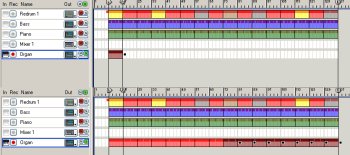
WWW, June 2014 - Check out a brand new chapter of the "Making Dub With Computer" tutorial, especially for those that want to do what the title says. This particular chapter deals with the basic principals of programming the chords of the Piano, Guitar and Organ into an instrumental Reggae track.

Even though the "riddim" or "skanks" section is not the field of expertise of the writer of the tutorial, it might show to be fruitful to at least check out the chapter.

One Love,
Messian Dread

TO THE CHAPTER PAGE

Sunday, May 25, 2014

MESSIAN DREAD - MAN FROM GALILLEE ACAPELLA

MESSIAN DREAD - MAN FROM GALILLEE ACAPELLA
STUDIO DUBROOM DOWNLOAD


To Download Page

WWW, May 2014 - Attention Dub Producers: you can now download the lead and backing vocals as well as drum, bass, chords and even midi with musical data from Messian Dread's track "Man From Galilee" for free!

The package comes with several wave files you can simply insert in your audio sequencer at 125 BPM and everything will play in sync, enabling you to create your very own musical track around the dry vocals. Backing and lead vocals come seperatly.

The musical audio files (with the exception of the bass line) are there primarily for guidance. The original drums are not included and the chords can be re-programmed much more interestingly. There's a midi file containing the chords as well as the bass line for your reference.

The audio is completely dry. No effects whatsoever, so you can create your very own sound by using your own reverbs or whatever. You might need to normalize the vocal files and/or others, there is no volume balance between the instruments. You really need to create your own musical track but then, that's what you want anyway as a self-respecting producer of (DUB) Reggae Music.

More instructions and a license are included in the package, which you can download as a RAR file or ZIP. Click "DOWNLOAD" to be directed to the Download page.

TO THE DOWNLOAD PAGE

Visit The Dubroom!

Our NETLABEL releases music from the Dubroom Studio and that of others and our WEBSTORE has some interesting releases too. We also have tons of REVIEWS on MP3's, VIDEO's, ALBUMS, BOOKS, WEBSITES, and MORE. Especially for the (online) artists, there is an artists-only STUDIO. Additionally, we have several research and information websites on BABYLON, CHRISTIANITY, and RASTAFARI. Also check out our ARTICLES and get in touch with other visitors on our MESSAGE BOARD. Or stay up-to-date by subscribing to one or more of our MAILING LISTS. Find all Dubroom features at our SITE MAP. When something is unclear, you can always check our FAQ or use the search engine to find what you're looking for. And ofcourse, you can allways CONTACT us.